The E-Learning Curve Blog has moved!

You will be automatically redirected to the new address in 10 seconds. If that does not occur for some reason, visit
http://michaelhanley.ie/elearningcurve/
and update your bookmarks.

Tuesday, October 13, 2009

The E-Learning Curve Blog has left Blogspot

The E-Learning Curve Blog will no longer be updated here on Blogger/Blogspot.

I have been using Blogger to host my blog for about two years, but I have outgrown this particular space, so I have moved the E-Learning Curve Blog to my own domain michaelhanley.ie. From Wednesday 14th October 2009, links to this site will be redirected to the E-Learning Curve Blog’s new home.

If you want to continue following my adventures in e-learning, I strongly recommend that that you subscribe to my blog by clicking here (site) or here (via RSS feed).

e-learningcurve_homepage

As you can see from the screenshot, the E-Learning Curve Blog’s new home has a much better template and look-and-feel, there’s no advertisements (or other distractors), as well as a bunch of extra widgets and links for you to explore.

For the time being, I will leave the E-Learning Curve Blog content that’s already here available on this domain. But not for long.

So come and join me at the E-Learning Curve Blog’s new home
…there’s still a lot to learn, discover, and understand about Technology in Education!

Michael Hanley, author of the E-Learning Curve Blog

13th October 2009

-–

Monday, October 12, 2009

Open Source E-Learning 4: KompoZer Web Editor

E-learning is intimately bound to IT networks and to the World Wide Web. At their heart, many e-learning courses are just specialized websites, and most are created with some input from a website authoring tool. Website authoring tools are applications to build and link individual web pages to create a website.

Website authoring tools are not stand-alone applications; their purpose is to create design content to be distributed to learners via web servers. Website authoring tools are also reliant on media editors for the graphics, animations, audio, video and other media integrated into courseware.

Today's open source e-learning toolkit component is a website authoring tool called KompoZer.

KompoZer is a complete web authoring system that combines web file management and easy-to-use WYSIWYG web page editing capabilities found in Microsoft FrontPage, Adobe DreamWeaver and other high end programs. The application is designed to be extremely easy to use, making it ideal for non-specialist users who just want to create an attractive professional-looking website without needing to know HTML or web coding (see Figure 1).

imageFigure 1. KompoZer User Interface
[Click to Enlarge]

According to KompoZer's developers, the application supports:

  • WYSIWYG editing of pages, making web creation as easy as typing a letter with your word processor.
  • Integrated file management via FTP. Simply login to your website and navigate through your files, editing web pages on the fly, directly from your site.
  • Reliable HTML code creation that will work with all of today's most popular browsers.
  • Navigate between WYSIWYG Editing Mode and HTML using tabs.
  • Tabbed editing to make working on multiple pages a snap.
  • Powerful support for forms, tables, and templates.
  • An easy-to-use, web authoring system for Linux, Microsoft Windows and Apple Macintosh.

Key Features and Capabilities

FTP site manager

All the sites you specify in your Publishing Settings become navigable in a sidebar. KompoZer supports an MS Explorer-style site tree view, or a directory-only view. It is also possible to filter / show all files, HTML documents only, or image files only.

Color Picker

KompoZer has an extended color picker. Colors can be set from the RGB, hue, saturation, and brightness choosers.

Tabs

Have one window only on your screen and edit several documents at once, each document having its own Undo/Redo stack! Just glance at the tabs to know if a document needs to be saved or not.

CSS Editor

Create style sheets easily and manage the styles attached to your documents. You can see your style settings applied '"live" to the document you're editing.

Styles Properties

KompoZer allows you to right-click on any element in the hierarchical toolbar at the bottom of the window and directly set its style properties.

Customizable Toolbars

Customize your toolbar and show only the buttons you want/need.

Forms

Use a XUL-based UI to edit all your forms, and edit all your form elements.

Cleaner Markup

KompoZer contains functionality to clean up redundant tags and to call W3C's HTML validator from within KompoZer.

XFN

When you create a new link to an external resource, or when you edit an existing link, you can now add XHTML Friends Network information to say that the owner of that resource is someone you know and trust.

Visible Editing/Layout Marks

In a complex page layout, you often need to see visible carriage returns and block borders. KompoZer can now do that for you. And of course, everything is controlled by a CSS style sheet so you can customize those marks and replace them with your own.

Table/Cell Resizing Rulers

Enable you to adjust the size of rows and columns in any table in the web page you design.

Automated Spellchecker

The integrated in-line spellchecker will underline all misspelled words as you type to ensure correct spelling throughout the entire web page.


Click here to download KompoZer.

More…

--

Friday, October 9, 2009

Open Source E-Learning Development 3: Open Office.org

Having discussed two key components of this Open Environment for E-learning; an XML-based authoring and content-generation tool, and an image-manipulation application, today I will discuss an XML-based productivity suite - a word processor, spreadsheet application, and presentation tool called OpenOffice.org.

In my view, tools like DocBook XML and XMLmind XML Editor are excellent primary content creation and generation applications; they provide imagecourseware developers with a familiar UI in which to create their content, while retaining the flexibility and interoperability of an XML-based structure.

One of the main benefits of using XML-based tools (as we will see in a future post) is that it facilitates a "create once, reuse many times" approach to content objects. By creating one appropriately-tagged XML-based master document, content can be refactored as a printable manual, an HTML-based guide, a PowerPoint-type presentation, and integrated into an e-learning content delivery platform, all based on one set of source XML-based information.

Now read on...

It is a truism that instructional designers, courseware developers and learning professionals (particularly in organizations) will source knowledge and learning materials from subject matter experts (SMEs) if possible. This research can be undertaken by using a range of strategies, including searching corporate knowledge-bases, interviewing SMEs, task-based collaboration, and so on.

While SMEs have the tacit and explicit knowledge, skills and domain expertise to inform your instructional design and content requirements, typically they have neither the time nor the inclination to learn a quite complex application like DocBook XML or XXE. However, we can say that the substantial majority of knowledge workers are competent in office productivity programs including word processors, spreadsheet, and presentation applications, such as those included in the Microsoft Office suite.

Sun’s OpenOffice.org is a collection of applications that provide the features expected from a modern office suite. These components are designed to reflect the functionality available in Microsoft Office.

According to their mission statement, the OpenOffice.org project aims

…to create, as a community, the leading international office suite that will run on all major platforms and provide access to all functionality and data through open-component based APIs and an XML-based file format.

OpenOffice.org UI

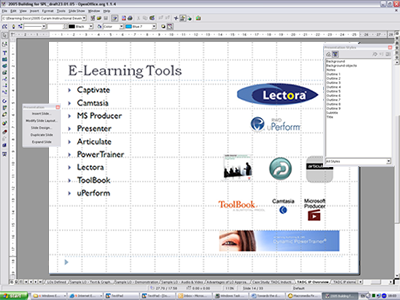
Figure 1. PPT format presentation authored in OpenOffice.org

The primary benefit of OpenOffice.org for this open environment is the ability to author XML-based content to develop presentations that may be used in instructor-led classroom environments, as well as provide media developers with a PowerPoint-formatted file to facilitate insertion into the media authoring tool Microsoft Producer 2.

In my view, the real power of OpenOffice.org is that it enables courseware developers to take (for example) PowerPoint presentations developed by SMEs, modify this content, and output it in an XML-based format, allowing integration with the other tools we are discussing in this series.

In a sense, it is a "bridge": despite the much-vaunted interoperability of Microsoft XML Core Services (MSXML) in Office 2007, I would assert that there are still many issues associated with integrating MS Office-produced content into an open environment, and by extension problems using this suite if you need to integrate your content into another environment or platform.

__________

References:

OpenOffice.org version 3.x. [Internet] Available from: http://www.openoffice.org [Accessed 24 August 2009]

--

Thursday, October 8, 2009

Open Source E-learning Development 2: Image Manipulation

First today, a preamble, in which I shall use the word “beauty.”

I’ve had some queries about my forthcoming article, wherein I will revisit themes I addressed in my 2008 post Recession and the challenge to e-learning. I’m still researching this topic: there are many sources to reference and data to be interpreted – and of course, the socio-economic landscape is still changing apace.

I am also re-reading Joseph Conrad’s Typhoon, a short story about the travails of Captain McWhirr and the steamer Nan-Shan, as I attempt to find a suitable context for the piece. You don’t know Conrad’s work, you say? of course you do; Francis Ford Coppola’s Vietnam epic Apocalypse Now was based on Conrad’s novel Heart of Darkness.

I’m not going to discuss this further here, except to express how extraordinary I think it is that a Polish man who did not speak English fluently until he was in his twenties became one of the 20th Century’s master prose stylists and novelist in English - which was essentially his second language - while most of us native speakers incompetently attempt to turn words into something meaningful, with utility, if not beauty.

Now read on…

The second open environment authoring tool highlighted in this series is an image editing application.image

The GNU Image Manipulation Program, or GIMP, is an open source graphics editor that is available for Linux, Windows, and OS X. It is a freely-distributed raster graphics editor used to process digital graphics and photographs. GIMP is primarily used for photo manipulation, including sizing, editing, and cropping images, combining multiple images, and converting between different image formats. GIMP can also be used to create basic animated GIFs.

According to GIMP.org,

[GIMP] has many capabilities. It can be used as a simple paint program, an expert quality photo retouching program, an online batch processing system, a mass production image renderer, an image format converter, etc.

GIMP is expandable and extensible. It is designed to be augmented with plug-ins and extensions to do just about anything. The advanced scripting interface allows everything from the simplest task to the most complex image manipulation procedures to be easily scripted.

Typical uses include:

  • creating graphics and logos
  • resizing and cropping photos
  • color management
  • combining multiple images
  • removing unwanted image features
  • converting between different image formats

GIMP can also be used to create simple animated GIF images. It is often used as a “software replacement” (Paul, 2008) for Adobe Photoshop.

The application has read/write support for popular image formats such as BMP, JPEG, PNG, GIF and TIFF, as well as the proprietary file formats of several other applications such as Autodesk *.flic animations, Paintshop Pro images and Adobe Photoshop Documents. Other formats with read/write support include PostScript documents. GIMP can also read and write path information from SVG files. GIMP can also read/write ICO Windows icon files. Its native format is XCF.

Figure 1. A screenshot of the GIMP UI

GIMP can also import Adobe PDF documents and the raw image formats used by many digital cameras. However, it can’t save to these formats; rather files must be exported to one of the image file types it does support.

__________

References:

GNU Image Manipulation Program Home Page: http://www.gimp.org/

Paul, R. (2008). GIMP 2.6 released, one step closer to taking on Photoshop. Ars Technica. [Internet] Available from: http://arstechnica.com/open-source/news/2008/10/gimp-2-6-released-one-step-closer-to-taking-on-photoshop.ars. Accessed 2nd July 2009.

--

Wednesday, October 7, 2009

Open Environment E-learning: DocBook and XXE

I received an unexpected but nonetheless very welcome comment on yesterday's blog post from Brent Schlenker. In his remarks, Brent reinforced my own view about the viability of open source-based e-learning development; he said that

I truly do believe that there are enough OpenSource tools out there that we can be creating completely opensource learning solutions/environments. Once people get past their initial fears and the stigma, the Open Source learning development community will grow exponentially.

...thanks for keeping the Open Source movement alive in eLearning.

Thanks Brent!

Now, on with the show.

As discussed in a previous post, we can say that there are certain unresolved philosophical matters surrounding the notion of open environments; I will return to these presently. However, the gratis/libre debate should not preclude you from taking advantage of the range of 'open' and 'free' tools to develop an effective e-learning solution.

As a reminder, here are the categories of tools I recommend to implement this open development environment:

  • Content Creation Tools
  • Media Creation and Integration: OSS Tools
  • Media Creation and Integration: Proprietary Tools
  • Content Delivery Platform
  • Optional Proprietary Tools

Click here for a full list of the applications and utilities.

While the tools themselves are a disparate group, their common characteristic is that they are XML-based. This, in theory at least, means that either the applications or their outputs are interoperable, and this creates the foundation for the "openness" that we seek.

Now read on...

Over the next few days, I will describe in detail the 'toolkit' used in this e-learning content development environment, before discussing pedagogical approaches and implementation processes. As the focus here is on developing e-learning in a specific environment, I am making the assumption that the learning content has already been developed, as learning content development and instructional design per se is not the topic being investigated. Click here to find out more about instructional design for e-learning.

The Powerhouse: DocBook and XXE

DocBook is a semantic markup language for technical documentation. While it was originally created for the purpose of writing technical documents for computer hardware and software, its inherent flexibility led to it being used authoring a broad range of documentation, including e-learning. Unlike proprietary word processors, DocBook documents do not describe what their contents "look like," but rather the meaning of those contents. For example, rather than explaining how an e-learning lesson page might be visually formatted, DocBook simply says that it is a page. An external processing tool or application is required to determine where the lesson page should go, and what it should look like – and to decide whether or not it should be included in the final output at all.

Because DocBook is XML-based, content can be authored and edited with any text editor.

XMLmind XML Editor (XXE) allows content creators to edit large, complex, modular, XML documents. In one sense, it is the friendly face of my open authoring environment. XXE is a ‘nearly’ WYSIWYG (What You See Is What You Get) editor that uses CSS to control the layout and style of DocBook XML (or XHTML) content. It successfully hides the complexities of XML markup from the author, so that the focus can be on the words, rather than the code.

In XXE, the document author does not see the DocBook XML tags; rather, XXE interprets the tags, and the application UI displays the content in the familiar look, feel, and style of a word processor interface (see Figure 1).

Figure 1 Screenshot of XMLmind XML Editor

Using XXE, the content author creates and edits content in the structured XML document by adding elements, setting attributes, selecting, cutting, pasting, and so on, and the editor automatically applies the appropriate styles.

The style is an interpretation of the DocBook DTD to simplify identification of the formatting elements without the need to understand all the XML tags.

Note, however that these styles are not linked to how the content is rendered. The final look and feel of the document is controlled by CSS style sheets.

XXE supports the following features:

  • Converts to XSLT-FO format then to PDF format
  • Converts to HTML format
  • Produces metadata files to support SCORM
  • Checks spelling
  • Checks that a document conforms to the DTD
  • Checks that a document conforms to relevant documentation conventions
  • Documents can be rendered as a number of separate files
  • Controls document look and feel

Transformations (outputting content to a commonly-used delivery format) are applied to the XXE-authored XML using Formatting Objects Processor. Formatting Objects Processor (FOP) is driven by XSL Formatting Objects (XSL-FO). A Java application reads a formatting object (FO) tree and renders the resulting pages to a specified output.

Currently supported output formats include:

  • Portable Document Format (PDF)
  • Printer Command Language (PCL)
  • PostScript (PS)
  • Scalable Vector Graphics (SVG)
  • eXtensible Markup Language XML (area tree representation)
  • Print
  • Abstract Window Toolkit (AWT)
  • MapInfo Interchange Format (MIF)
  • Text File (TXT)
The primary output target is PDF (see Figure 2).

Figure 2 Screenshot of PDF file generated from XXE via XSL-FO

Other outputs include HTML pages (see Figure 3) and help files.

Figure 3 Screenshot of HTML file generated from XXE via XSL-FO

These two outputs were generated from a command-line FO, because I’m a bit of a purist about this stuff, though I’m not a coder, so it must be straight-forward and usable!

Depending upon the level of expertise in your organization, you may decide to use a GUI shell to enable content authors to generate their outputs.

Figure 4 Screenshot of XSL-FO command line interface in Windows

More…

__________

Resources:

DocBook.org: http://www.docbook.org/

XMLMind XML Editor: http://www.xmlmind.com/xmleditor/

HyperWrite Ltd. (2006) Review of XMLmind XML Editor v3.0. [Internet] Available from: http://www.hyperwrite.com/Articles/showarticle.aspx?id=63 Retrieved 24th September 2009

--

Tuesday, October 6, 2009

A Toolkit to Develop E-Learning in an Open (XML) Environment

Returning from content development theory, the gratis/libre debate, and the pros and cons of each approach, this post will focus on the range Opensource.svg of tools that you need to develop e-learning content in a (relatively) open environment.

Now read on…

The key to developing e-learning courseware in an open environment is to use a production model that liberates instructional design and content authoring from your final media outputs. In my view, this means taking an XML-based approach to your e-learning development environment. I would suggest that you need tools and components like the following tools to create an effective authoring and delivering system:

Content Creation Tools

  • DocBook
  • XMLmind XML Editor (XXE)
  • GNU Image Manipulation Program (GIMP)
  • XSLT transformations and XS-FOP formatting object processors


Media Creation and Integration: OSS Tools

  • Audacity
  • CineFX
  • Kompozer
  • OpenOffice.org
  • GNU Image Manipulation Program (GIMP)

Media Creation and Integration: Free-to-use Proprietary Tools
  • Microsoft Producer 2
  • Windows Media Developer’s Kit
  • Garageband
  • iMovie
  • Jing

Content Delivery Platform
  • Apache / MySQL / PHP
  • Moodle
  • Joomla
  • Drupal

Optional Proprietary Tools
  • Adobe Flash
  • Camtasia
  • Roxio Easy Media Creator or Toast

I'll be discussing developing a production model using this toolkit, starting tomorrow.
--

Monday, October 5, 2009

E-Learning, the Cathedral and the Bazaar: Courseware Development Approaches

...or Top-down versus Bottom-up approaches to content design.

In his 1997 essay The Cathedral and the Bazaar, open source evangelist Eric S. Raymond suggests that

the closed-source world cannot win an evolutionary arms race with open-source communities that can put orders of magnitude more skilled time into a problem.
Raymond considers the development of software by traditional methodologies as analogous to building a mediaeval cathedral,
carefully crafted by individual wizards or small bands of mages working in splendid isolation, with no beta to be released before its time.
He asserts that all software could be developed using the bazaar approach, which he described as
a great babbling bazaar of differing agendas and approaches... open to the point of promiscuity.

In this so-called Bazaar Model, roles are not clearly defined. Gregorio Robles suggests that software developed using the Bazaar model should exhibit the following patterns:

  • Users should be treated as co-developers
The users are treated like co-developers and so they should have access to the source code of the software. Furthermore users are encouraged to submit additions to the software, code fixes for the software, bug reports, documentation etc. Having more co-developers increases the rate at which the software evolves. Linus' Law states that, "Given enough eyeballs all bugs are shallow." This means that if many users view the source code they will eventually find all bugs and suggest how to fix them. Note that some users have advanced programming skills, and furthermore, each user's machine provides an additional testing environment. This new testing environment offers that ability to find and fix a new bug.
  • Early Releases
The first version of the software should be released as early as possible so as to increase one's chances of finding co-developers early.
Frequent Integration
New code should be integrated as often as possible so as to avoid the overhead of fixing a large number of bugs at the end of the project life cycle. Some open source projects have nightly builds where integration is done automatically on a daily basis.
  • Several Versions
There should be at least two versions of the software. There should be a buggier version with more features and a more stable version with fewer features. The buggy version (also called the development version) is for users who want the immediate use of the latest features, and are willing to accept the risk of using code that is not yet thoroughly tested. The users can then act as co-developers, reporting bugs and providing bug fixes. The stable version offers the users fewer bugs and fewer features.
  • High Modularization
The general structure of the software should be modular allowing for parallel development.
  • Dynamic decision making structure

There is a need for a decision making structure, whether formal or informal, that makes strategic decisions depending on changing user requirements and other factors (i.e. in extreme programming).

In Raymond's view, most well-known OSS products including Linux, Apache, and the GNU Compiler Collection align with the Bazaar model.
In the 'traditional' Cathedral model (advocated in Fredrick P. Brooks, Jr. in The Mythical Man-Month), development takes place in a centralized fashion. Clearly defined roles including experts dedicated to designing (the architects), established management styles, and 'craftsmen' (developers) responsible for implementation all contribute build a pre-established design according to a pre-agreed blueprint.


He goes further to say that in order to preserve the architectural integrity of a system, its design should be done by as few architects as possible.

Interestingly, the Bazaar model comes close (in manifestation, if not in philosophy) to what Brooks in the 1995 Anniversary edition of his text describes as "shrink-wrapped software." Brooks suggests:

For the developer in the shrink-wrapped industry, the economics are entirely different from those of the classical industry... the starkly different economies have given rise to starkly different programming cultures.

(p.284)


Rather than the traditional Cathedral model,
The shrink-wrapped industry... [is] freewheeling and fiercely focused on getting the job done rather than on process. in this climate, there has always been a much greater recognition of the talent of the individual programmer, an implicit awareness that great designs come from great designers [my italics]. The start-up culture has the capability of rewarding star performers in proportion to their contributions... [i]t is not surprising that many of the stars of the new generation have gravitated to the shrink-wrapped industry.

(p.284)


More tomorrow as I discuss towards the implications of these two models for the e-learning industry.

___________
References:

Brooks, R.P. (1995). The Mythical Man-Month Anniversary Edition London, Addison Wesley Longman, Inc.


Raymond, E. S. (2000). The Cathedral and the Bazaar Version 3, Revision 1.57 [Internet] Available from: http://www.catb.org/~esr/writings/
cathedral-bazaar/cathedral-bazaar/
[Accessed 22nd August 2009]

Robles, G. (2004) A Software Engineering approach to Libre Software, IN: Robert A. Gehring, Bernd Lutterbeck: Open Source Jahrbuch 2004, Berlin: Lehmanns Media. [Internet] Available from: http://www.opensourcejahrbuch.de/download/
jb2004/chapter_03/III-3-Robles.pdf
[Accessed 21st April 2008]
--

The Irish Students’ Blogs Website

Here's an enterprising idea: a number of Irish second-level students have got together and set up their own blog aggregation service: Irish Student Blogs. Being a product of the Irish education system myself, I thought that I’d give them a plug.

According to their introduction, the blog is:

...a website dedicated to the Irish secondary school students' blogs! Here [they] hope to grow the largest collection of these blogs and bring you the latest from this corner of the blogosphere!

Second-level education is not an domain I investigate in any great detail on my blog, unless of course, I can relate the topic to technology in education, but these blogs are from learners "on the front line."As such, these students' insights, ideas, and reflections represent the actuality and the experiences of those who are involved in learning and education, but whose views are perhaps not as regarded as highly as they should be.

irish_students_blogs Irish Student Blogs Homepage
[Click to Enlarge]

Certainly in Ireland (and in most Western countries I suspect) there can be a sense that teaching is almost inflicted on students, with little regard to their learning needs - and by that I mean, the skills that will enable them to flourish as citizens of the 21st century world.

While some of the topics the Irish Student bloggers cover are not learning-related per se, I would assert that they are a channel into the thoughts, concerns and motivations of this group of learners, and maybe shine a light on approaches to providing these students with a relevant learning experience (in the context of the broader curriculum).

Check out their site by clicking here: Irish Student Blogs.

--

Friday, October 2, 2009

An Open Source Environment for E-Learning Content Development

As I'm in the process of updating my website’s Learning Content Management System (LCMS), I though it would be interesting to discuss open source environments, and how they Opensource.svgcan be implemented in an e-learning content development ecosystem.

Context

When I began developing my website and blog, I decided to use an open standards approach during the course of their initial development, as much for philosophical as for financial or any other reasons. Consequently, as I implement new features (such as my podcasts), and maintain and enhance site functionality, I adhere to the approach, principles and methodologies of the Open Source movement in as far as is practicable.

Now read on...

In as much as is possible, I try to develop content using non-proprietary tools, usually freely available under the GNU Licence. Examples of this type of software include:

  • Audacity - an audio editor
  • Freemind - a mind mapping tool
  • OpenOffice.org - an office application suite for a range of operating systems including Windows and Linux
  • NeoOffice - A port of OpenOffice.org to the MacOS X platform.
  • Apache - a Web server.
  • PHP – a scripting language.
  • MySQL - database software.

The Gratis versus Libre Debate

It is important to define usage of the word “open” in the term “open environment:” in this context, I qualify the use of "open" as adhering to the openformats.org definition:

We will say that a file format is open if the mode of presentation of its data is transparent and/or its specification is publicly available. Open formats are ordinarily standards fixed by public authorities or international institutions whose aim is to establish norms for software interoperability. There are nevertheless cases of open formats promoted by software companies which choose to make the specification of the formats used by their products publicly available.


It should be noted that an open format can either be coded in a transparent way (readable in any text editor: this is the case of markup languages) or in a binary mode (unreadable in a text editor but thoroughly decodable once the format specifications are known) .

I should note that while most of the tools I will discuss in this series of articles are ‘true’ open source applications - freely distributable (“free as in speech”), some (like Microsoft Movie Maker) are free from cost - “in the sense that one does not have to pay for some good or service. ” (Wikipedia.org).


My view is that both categories of software enable me to meet my objective of developing courseware, and being of a practical bent, I don't really suffer an ethical dilemma in combining a range of tools if they assist me in achieving my goals. However, I think that it is important to discuss the implications of open software, particularly as the debate is central to the notion of specifications and standards, and how they are implemented. I haven't discussed learning standards yet in my blog, but it is a topic I will be talking about at a later time; I think that elements of this discussion reflect directly on SCORM, AICC, QTI and other learning-related specifications and standards.

What is "free" software?

Free software is a matter of the users' freedom to run, copy, distribute, study, change and improve the software. More precisely, it refers to four kinds of freedom, for the users of the software:

  • The freedom to run the program, for any purpose (Freedom 0).
  • The freedom to study how the program works, and adapt it to your needs (Freedom 1). Access to the source code is a precondition for this.
  • The freedom to redistribute copies so you can help your neighbor (Freedom 2).
  • The freedom to improve the program, and release your improvements to the public, so that the whole community benefits (Freedom 3). Access to the source code is a precondition for this.

A program is free software if users have all of these freedoms. Thus, you should be free to redistribute copies, either with or without modifications, either gratis or charging a fee for distribution, to anyone anywhere. Being free to do these things means (among other things) that you do not have to ask or pay for permission.

(GNU.org)

So, how can we reconcile using free-from-cost software (which usually comes with the kinds of restrictions associated with commercial organizations' End User License Agreements) with this manifesto?

More...
--

Thursday, October 1, 2009

The Great E-Learning Debate is On(line)

On 30th September 2009, an invited audience of over 300 leading thinkers from HR, skills, training and education joined eight eminent speakers at the inaugural E-learning Debate at the Oxford Union. great_e-l_debate

The motion for the debate was:

"This house believes that the e-learning of today is essential for the important skills of tomorrow."

Eight speakers took to the floor:

Debating For The Motion:

  • Prof. Diana Laurillard
  • Maj Gen Tim Inshaw
  • Andy McGovern, Reuters
  • Kirstie Donnelly, learndirect

Arguing Against The Motion:

  • Dr Marc Rosenberg
  • Claire Little, SHL Group
  • Wendy Cartwright, Olympic Development Authority
  • David Wilson, Elearnity

Clive Shepherd summarizes the pro and contra speakers' arguments here. In my view, Clive’s post is essential reading for anyone professionally interested in training, technology in education, HR, and organizational development.

I like Clive's closing blog post remarks:

I agreed with every speaker, which was quite possible given the different ways in which the motion could be interpreted. I changed my mind eight times but ended up voting for the motion.

At the end, the motion was defeated: the participants voted 90 FOR and 144 AGAINST.

However, this is not the end of the debate, only the beginning. Whether you attended or not, there is still an opportunity to contribute. From 1st October 2009 the E-learning Debate continues online, and you can read a summary of the arguments, view the highlights on Flickr and YouTube, add your comments, and vote.

Click here to navigate to the Great E-Learning Debate website, and to add your contribution.

--